

Automation Hacks That Will Transform The Way You Work Forever
Think about how often in any given week you spend hours doing the exact same thing.
Answering emails. Scheduling meetings. Posting on social media. Sorting through data. Following up with customers.
Now imagine if a great deal of that simply… occurred on its own.
That’s not a dream anymore. That’s AI automation — and it’s accessible to anyone, today, on nearly any budget.
In this post, we’re going to walk through 12 AI automation hacks which real people and businesses are using right now to save you hours of time, lower stress levels and help you get more done. These aren’t complicated tech tricks. They’re practical, down-to-earth strategies that everyone can put to work starting this very week.
Let’s go.
What AI Automation Really Means (In Plain English)
Let’s clear something up before we jump into the hacks.
AI automation doesn’t involve being replaced by robots. It’s about using the right tools to automate boring, repetitive work so you can concentrate on what actually matters.
Think of it as hiring a superfast, super-reliable assistant who never sleeps and never makes careless mistakes.
More than 65% of companies are now implementing automation using AI in at least one business process, according to McKinsey’s 2024 Global Survey on AI.
| Task Category | Time Spent Manually (Per Week) | Time With AI Automation |
|---|---|---|
| Email management | 5–8 hours | Less than 1 hour |
| Social media posting | 3–5 hours | 20–30 minutes |
| Data entry | 4–6 hours | Almost negligible |
| Customer follow-ups | 2–4 hours | Fully automated |
| Report generation | 3–5 hours | 15–20 minutes |
The savings are real. And the 12 hacks below will tell you precisely where to begin.
Hack #1 — Have AI Sort and Reply to Your Emails
Your inbox is a disaster. Most people’s are.
Professionals receive on average 120 emails per day. Reading, organizing and replying to all of them by hand takes up a great deal of time.
AI tools such as SaneBox, Superhuman and even Gmail’s built-in AI features can automatically sort the most relevant ones into priority folders, flag them for your attention — and draft your responses for you.
How to Set This Up Fast
- Plug your email account into a service like SaneBox or Superhuman
- Create personalized filters according to senders and keywords
- Leverage AI-generated responses to standard queries
- Review and send with one click
You no longer start from scratch when you write. You approve, tweak and send. Just that will save you two to three hours every single day.
This is one of the most under-the-radar AI automation hacks — everyone has to manage email overload, but almost no one has automated it.
Hack #2 — Automate Your Social Media With AI Scheduling
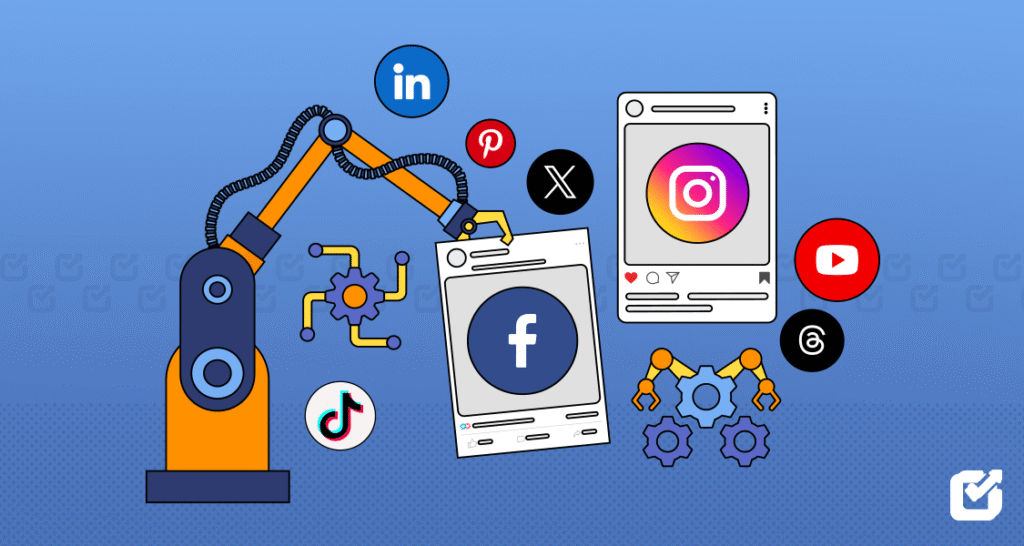
One of the best things you can do for your brand is to post regularly on social media. But refreshing it day after day by hand? That’s exhausting.
Scheduling tools with AI like Buffer, Later and Publer enable you to create your content once a week and have it automatically posted at the best times for your audience.
Some of these tools also use AI to recommend what to post, create captions and select the best time to publish based on when your followers are most active.
A Basic Weekly Social Media Automation Workflow
Monday: Use an AI writing tool to create 7 days of captions and post ideas in 20 minutes.
Monday (continued): Upload it all to your scheduling tool.
The rest of the week: The AI automatically publishes all of the content.
That’s it. Your social media handles itself while you’re doing other things.
Hack #3 — Leverage AI to Manage Customer Support 24/7
If you manage a business, you know how exhausting customer support can be. Questions roll in throughout the day. And people expect fast answers.
AI chatbots such as Tidio, Intercom and Freshdesk’s AI capabilities can instantly respond to your most frequently asked questions — anytime, day or night.
You just train the bot with your FAQs, product facts and general responses. Then it handles the front line, so your team can focus on the nuanced things that actually need a human.
What AI Customer Support Can Handle
- Order tracking and shipping questions
- Product recommendations
- Refund and return policy questions
- Appointment bookings
- Basic troubleshooting steps
AI-powered customer service can resolve up to 80% of routine customer queries without involving any human being, according to Salesforce’s State of Service Report. That is huge — especially for small teams.
Hack #4 — Generate Reports and Data Summaries in Minutes
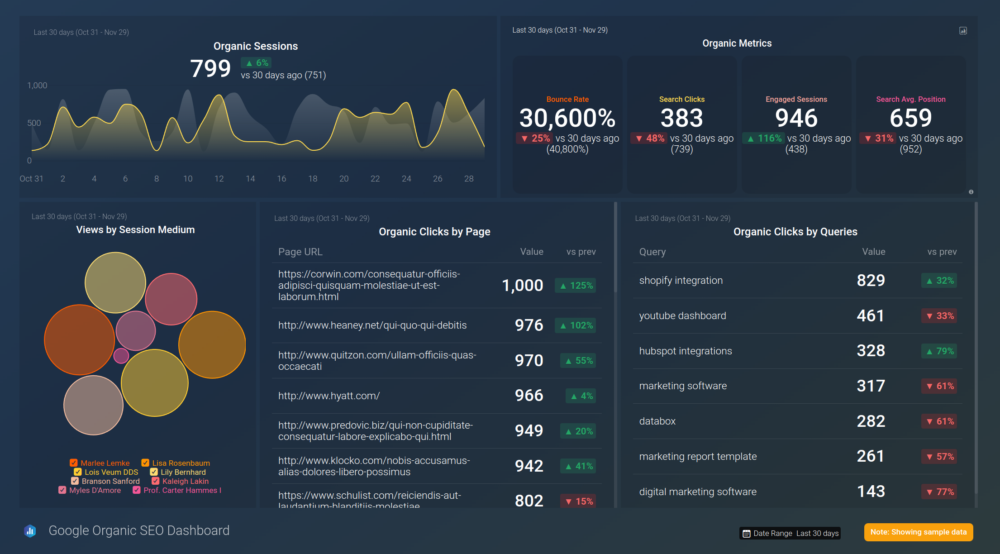
If your work life revolves around data, you know the pain. Pulling numbers, creating spreadsheets, writing summaries — it all takes forever.
AI tools such as Microsoft Copilot, Google Gemini in Sheets and Rows AI can be connected to your data and produce complete reports within minutes. You simply ask the AI a question like:
“Summarize last month’s sales numbers and share the top three trends.”
And it does it. In seconds.
Top AI Tools for Automated Reporting
| Tool | Best For | Standout Feature |
|---|---|---|
| Microsoft Copilot | Excel & Word reports | Natural language data queries |
| Google Gemini | Google Sheets | Real-time data summarization |
| Rows AI | Spreadsheet analysis | Automatic chart generation |
| Tableau AI | Visual data dashboards | Automated insight suggestions |
| Polymer | CSV and data uploads | No-code AI analysis |
This is one of the most powerful AI automation hacks for anyone who deals with numbers regularly. Hours of manual work get squeezed into minutes.
Hack #5 — Put Your Lead Generation on Autopilot
In any business, new customers are the lifeblood. But manually hunting down leads — sifting through LinkedIn, sending cold emails, keeping track of who responds — is agonizingly slow.
AI tools like Apollo.io, Clay and Hunter.io can handle the entire lead generation process automatically. They discover prospects that fit your ideal customer profile, collect their contact information and send personalized outreach messages — all without you lifting a finger.
How AI Lead Generation Works Step by Step
Step 1: You profile your ideal customer (industry, job title, company size, location).
Step 2: The AI scours databases and the web in search of matching prospects.
Step 3: It scrapes their contact information and adds them to your CRM.
Step 4: An email sequence goes out automatically — tailored to each individual.
Step 5: You only step in when somebody responds and is interested.
This takes what used to be a full-time job and turns it into something that largely happens in the background. It’s one of the most business-altering AI automation hacks on this list.
Hack #6 — Automatically Repurpose Your Content Across Every Platform
You create one great piece of content — a long YouTube video or a detailed blog post. Then what? Most people just let it sit there.
But with AI automation, that one piece of content can easily become dozens of different assets across every platform out there.
Tools like Repurpose.io, Descript and OpusClip can automatically:
- Turn a podcast episode into a blog post
- Clip a long video into 10 short posts for social media
- Turn a blog post into a Twitter/X thread
- Turn a YouTube video into an email newsletter
The Content Repurposing Multiplier
Think about it — you record one 30-minute podcast episode a week. With AI automation, that single episode could result in:
- 1 full blog post
- 5 to 10 short video clips for Instagram and TikTok
- 1 email newsletter
- 5 Twitter/X posts
- 1 LinkedIn article
That’s 20+ content assets from one source. That’s how small creators battle it out with big media teams — and it’s one of the savviest AI automation hacks out there.
For more practical digital marketing strategies that work alongside these AI tools, check out Media Progresif — a great resource for modern online business growth.
Hack #7 — Set Up AI Workflows With No-Code Automation Tools
You don’t need to be a coder to create smart AI automations. Services like Zapier, Make (formerly Integromat) and n8n let you connect apps and create automated workflows using a simple drag-and-drop interface.
For instance, you could create an automation that:
- Detects a new form submission on your site
- Automatically feeds the lead into your CRM
- Sends them a welcome email
- Notifies your sales team on Slack
- Creates a follow-up task in your project management tool
All of that happens automatically — triggered by one single action.
Popular No-Code AI Automation Combinations
| Trigger | Automated Action |
|---|---|
| New email received | Auto-tagged and filed in CRM |
| New order placed | Thank-you email + inventory update |
| Form submission | Lead added to Mailchimp + Slack alert |
| New review posted | Auto-shared to social media |
| Invoice sent | Reminder scheduled for follow-up |
Zapier alone connects over 6,000 apps. The combinations are almost endless. If you’re serious about using AI automation hacks to save time, this is ground zero to start building.
Hack #8 — Deploy AI to Write First Drafts of Everything
Writing takes time. Whether it’s an email, a proposal, a product description or a blog post — the blank page is always the hardest part.
AI writing tools like Claude, ChatGPT and Jasper can pump out solid first drafts in seconds. You just enter a clear prompt and let the AI do the heavy lifting.
Here’s the trick: don’t use AI to replace your writing. Use it to start your writing. Then go in, add your voice, fix the details and make it yours.
Prompts That Yield the Best Results
Vague prompt: “Write me an email.”
Better prompt: “Write a follow-up email to a prospect who joined our webinar last Tuesday. Keep it friendly, under 150 words and include a link to book a free consultation.”
The more specific your prompt, the better the output. AI is only as smart as the instructions you give it. Think of it like briefing a new colleague — give context, tone and a clear goal.
This is one of the AI automation hacks that compounds over time. Every hour saved on writing adds up to days saved every month.
Hack #9 — Automate Invoice and Payment Follow-Ups
Hunting down unpaid invoices is one of the most awkward and time-consuming tasks in any business. Most people put it off — and it ends up costing them money.
AI-powered billing tools like FreshBooks, HoneyBook and QuickBooks AI can:
- Automatically send invoices upon reaching a project milestone
- Send friendly reminders at set intervals
- Escalate the tone of reminders if payment continues to be late
- Log all payment activity automatically
You set the rules once. The system handles the rest.
This eliminates the awkwardness, accelerates cash flow and ensures nothing falls through the cracks. This is one of the most valuable AI automation hacks on the entire list — especially for freelancers and small business owners.
Hack #10 — Sharpen Your Hiring Process With AI
Hiring is slow, expensive and often erratic. Nobody wants to read through hundreds of resumes by hand.
AI hiring tools such as Workable, HireVue and Manatal can automatically:
- Screen resumes based on your required qualifications
- Rank candidates based on how well they match the job description
- Invite shortlisted candidates for an interview
- Schedule interviews without back-and-forth emails
How AI Cuts Hiring Time in Half
| Hiring Stage | Manual Time | With AI Automation |
|---|---|---|
| Resume screening | 8–12 hours | Under 30 minutes |
| Shortlisting candidates | 3–5 hours | Automated ranking |
| Scheduling interviews | 2–4 hours | Fully automated |
| Initial candidate Q&A | Ongoing | Handled by AI chatbot |
For businesses that hire regularly, this is one of the most time-saving AI automation hacks you can implement. It doesn’t take away the human element — it takes away the boring parts so humans can actually focus on evaluating people.
Hack #11 — Build a Personal AI Knowledge Base
Here’s one most people haven’t considered yet.
What if you could dump everything you know — notes, documents, SOPs, research, meeting transcripts — into one place and then query it like you’re talking to a human?
Tools like Notion AI, Mem.ai and ChatGPT’s custom GPTs let you do exactly that. You feed the system your documents, then query it instantly.
For example:
“What did we agree on regarding the product launch date in our team meeting last month?”
The AI scours your notes and provides the answer in seconds.
Who This Hack Is Perfect For
- Business owners with many documented processes
- Researchers who keep large collections of notes
- Teams that hold frequent meetings and need fast recall
- Freelancers managing multiple clients and projects
This is perhaps the most futuristic-sounding AI automation hack in this article. But it’s available right now — and it will genuinely change the way you work once you set it up.
Hack #12 — Monitor Your Brand and Competitors Like a Hawk on Autopilot
It used to take hours of manual searching to find out what people were saying about your brand online. Now AI does it around the clock.
Tools such as Brand24, Mention and Crayon use AI to:
- Monitor every mention of your brand across social media, news sites and blogs
- Alert you the moment someone says something important
- Keep an eye on your competitors — new products, price changes, press coverage
- Track sentiment trends so you always know how your brand is perceived
Why This Matters for Your Business
Speed of response is everything in today’s market. If someone leaves a negative review or a competitor launches a new offer, you need to know right away — not days later.
With AI brand monitoring in place, you’re always in the loop. You can respond fast, protect your reputation and identify opportunities before your competitors do.
And with that, we’ve completed our list of 12 powerful AI automation hacks — because this one closes the loop. You’re not just automating your output, you’re automating your awareness.
How to Choose Where to Begin With AI Automation
Twelve hacks is a lot. Do not attempt them all at once. Here is a simple guide to help you prioritize:
If you’re swamped with communication: Start with Hacks 1 and 3 — email automation and AI customer support.
If you produce a high volume of content: Begin with Hacks 2 and 6 — social scheduling and content repurposing.
If you run a service business: Begin with Hacks 9 and 5 — invoice automation and lead generation.
If you manage a team: Begin with Hacks 7 and 10 — workflow automation and AI hiring tools.
If you want to dive deeper into AI: Check out Hack 11 — build your personal AI knowledge base and watch everything change.
The best approach is to pick one hack, implement it fully and feel the difference before moving to the next. Small wins build momentum.
The Real Cost of NOT Automating
Let’s be direct about something.
Every hour you spend on a task that AI could handle is an hour you’re not spending on growth, creativity or the work that only you can do.
If AI saves you just two hours per day, that means you’re gaining:
- 10 hours per week
- 40 hours per month
- 480 hours per year
That’s the equivalent of 60 full working days returned to you every single year. What would you do with 60 extra days?
Most people reading this article are leaving that time on the table right now. These AI automation hacks are designed to help you take it back.
FAQs About AI Automation Hacks
Q: Must I have a high level of technical skill to use AI automation tools? Not at all. Most modern AI automation tools are built for the average user. Services like Zapier, Buffer and SaneBox have friendly dashboards that guide you through every step. If you can handle a smartphone app, you can use these tools.
Q: Are AI automation tools costly? The majority offer free plans or inexpensive starter packages. Tools like Zapier, ChatGPT, Buffer and Tidio all have free versions good enough to get started. Paid plans generally cost between $10 and $100 per month, depending on the features you need.
Q: Will AI automation replace my job? It almost certainly won’t wipe out jobs wholesale — but it will change the way your job looks. AI takes care of the repetitive, low-skill tasks. That leaves humans with more time for the creative, strategic and relationship-driven work that AI can’t replicate. People who use AI automation are actually more valuable, not less.
Q: How long does it take to set up these automations? Certain hacks — such as setting up email sorting or social scheduling — can be done in under an hour. Others — such as building a full lead generation workflow — may take a few hours spread over a couple of days. But once established, they run with minimal maintenance.
Q: Is my data safe with AI automation tools? Reputable tools use strong encryption and operate within the bounds of data privacy laws such as GDPR. Always read the privacy policy before connecting sensitive data. Stick with well-known platforms that have solid reviews and transparent data practices.
Q: Can small businesses really benefit from AI automation? Absolutely — in fact, small businesses often benefit the most. They have fewer resources and fewer staff, so automation has the biggest relative impact. A solo entrepreneur using AI automation can operate with the output of a much larger team.
Q: As a total beginner, where should I start with AI automation? Begin with email management (Hack 1) or social media scheduling (Hack 2). They’re the easiest to set up, have the most immediate impact and will give you a real taste of what’s possible with the rest of the hacks on this list.
The Bottom Line
AI automation is no longer a luxury. It’s a competitive necessity.
The businesses and individuals who adopt these tools now will have a considerable edge over those who wait. Not because AI is magic — but because time is the one thing we can never get back, and AI gives it back to you.
These 12 powerful AI automation hacks span communication, content, sales, operations, hiring and strategy. Together, they cover nearly every aspect of how modern work gets done.
You don’t have to implement all 12 today. You only have to start with one.
Pick the hack that would address your most persistent daily frustration. Set it up this week. Feel the difference.
Then come back and move on to the next.
That’s how you build a smarter, faster and more automated version of your business — one powerful hack at a time.