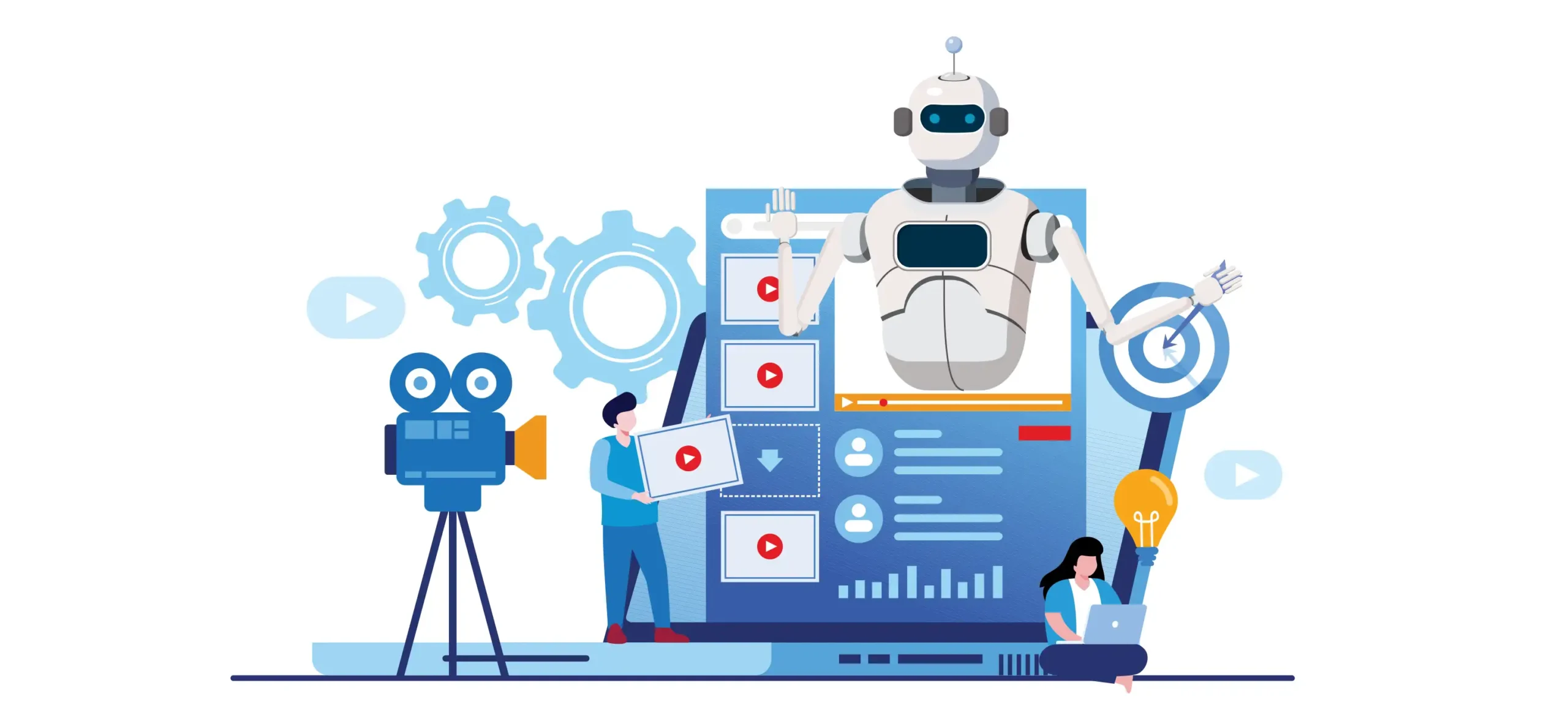

The media world is spinning faster than ever. If you’re a content creator, studio proprietor, or digital marketer, you already feel the squeeze. Deadlines are tighter. Audiences want more. Budgets are shrinking. And the competition? It never sleeps.
That’s where AI media production comes into play.
AI is no longer just a shiny new tech trend. It’s an actual working tool that thousands of media professionals right now are already using to make better content, faster, and for less money. From automatic video editing to AI-driven voiceovers and script creation, the potential options are expanding daily.
But here’s the thing — most people are just getting started when it comes to AI as a tool within the realm of media production. They have one or two tools, and that’s it. The real winners among creators? They’re employing certain, clever tactics — what we like to call growth hacks — to get ahead.
In this article, you’ll find 7 AI media production growth hacks that are tried and tested. These aren’t random tips. Every one is actionable, proven to increase content output, audience, and revenue. Whether you’re just getting started or have never run a full production setup before, there’s something for you here.
Let’s get into it.
Why AI Is the Game-Changer for Media Production Right Now
But first, let’s set the stage for our hacks.
Traditional media creation is costly and slow. It used to require a team of editors, a script writer, a sound engineer, and a camera operator for even one YouTube video to take off. Now? One person armed with the right AI tools can do all of that — and do it well.
Here is a brief look at how AI is transforming the production process:
| Traditional Production | AI-Powered Production |
|---|---|
| Days to edit a video | Hours or minutes with AI editing |
| Expensive voiceover artists | AI voice cloning at a fraction of the cost |
| Manual captioning | Auto-captions in seconds |
| One piece of content per shoot | Repurpose into 10+ pieces with AI |
| Big team required | Solo creators can do it all |
The shift is real. The creators who are taking advantage of it are growing faster than those who aren’t.
So now let’s consider how you might become one of them.
Hack #1 — Turning One Video Into an Epic Content Machine
A huge mistake in media production is making something that exists in only one place. You shoot a video, upload it to YouTube, and you’re done. That’s leaving a lot of value on the table.
AI tools such as Opus Clip, Descript, and Repurpose.io can grab a long-form video and automatically chop it up into:
- Short videos for Instagram Reels and TikTok
- Audiograms for podcasts
- Blog posts from transcripts
- Email newsletters
- Twitter/X threads
- LinkedIn posts
One piece of content turns into 10 or 20 pieces. And you didn’t have to shoot anything new.
Creating Your Repurposing System
Begin with a long-form piece — a podcast episode, a YouTube video, or a recording of a live stream. Feed it into a transcription tool like Descript or Otter.ai. Then use an AI content splitter such as Opus Clip to extract the most compelling moments.
From there, use a writing AI like Claude or ChatGPT to turn it into a blog post, an email, or social media text. Schedule everything through a social media tool and you’re set.
This one process can increase the amount of content you have available to post by 5x to 10x with no additional filming time.
The ROI Is Massive
If you commit to 3 hours of filming, you have enough content for at least a week, posted across five platforms. That’s efficiency that might have taken a whole content team two years ago.
Hack #2 — Scale Audio With AI Voices Without Hiring Anyone at All
Voiceover is one of the most time-consuming and costly aspects of media production. Professional voice actors for a single explainer video can cost a few hundred dollars. Doing it yourself requires time, investment in equipment, and energy.
AI voice technology has changed all of that.
Tools like ElevenLabs, Murf.ai, and Descript’s Overdub feature can produce professional-grade, near human-like voices in minutes. You can even clone your own voice, so that the AI-generated audio sounds just like you — no recording required whatsoever.
Where This Hack Shines
This works especially well for:
- YouTube videos when you require consistent narration
- Course creators wanting to update lessons without re-recording everything
- High-volume content producers and podcasters
- Creators interested in reaching audiences in many languages
That last point is huge. You can get your content translated and voiced in Spanish, French, or German, among dozens of other languages — automatically. You reach new markets without needing translators or voice actors.
A Real-World Example
Picture yourself running an educational YouTube channel. You have 50 English videos. You can make dubbed editions of all 50 videos in three other languages in a week using an AI voice tool. That’s potentially tripling or quadrupling your audience with content you’ve already made.
That is the power of AI voices in media production.
Hack #3 — Have AI Write Your Scripts (Then Make Them Yours)
Writer’s block seriously hampers your productivity. The time it burns and the creative energy it sucks just staring at a blank page before you even get on set. AI can fix that.
With tools such as Claude, ChatGPT, or Jasper, you can write a complete script in minutes. You tell the AI your topic, your tone, your target audience, and what messages you want to convey — and it sends you back a workable full script.
Now here’s where most creators go wrong: they use the AI script as-is. That’s a mistake. AI scripts are a starting point, not an end product.
The Right Way to Use AI Scripts
Think of AI as your first-draft machine. It handles the structure, the research, and the outline. Then you come in with your voice, your stories, your personality. The result? A script that writes 10x faster and still sounds entirely like you.
Here’s a simple process:
- Give the AI your topic and a few bullet points of what you would like to discuss
- Tell it to write a script in a certain tone (casual, informative, upbeat)
- Go over it and replace generic lines with personal anecdotes or opinions
- Run it through a readability checker — aim for 8th-grade reading level
- Record or produce
This can halve your pre-production time. For high-volume creators, that’s game-changing.
Batch Scripting for Maximum Output
Here’s a bonus tip: batch your scripting sessions. Rather than finish writing one script and then start on the next, use AI to create five or ten scripts in a single session. Block production days around those scripts. This way, you always have something to publish and a hungry audience that’s regularly being updated with fresh content.
Hack #4 — Use AI Tools to Automate Your Video Editing
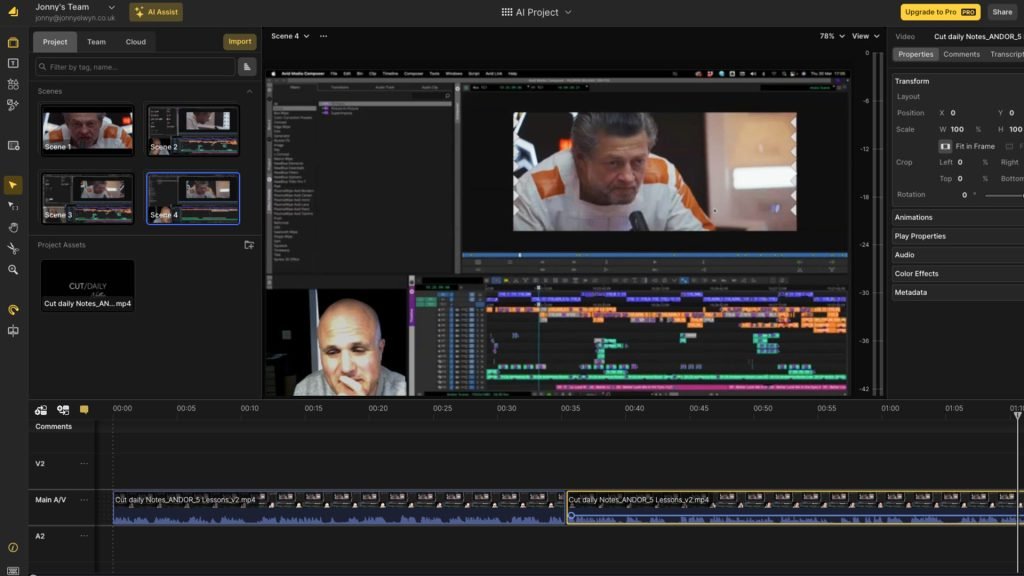
Editing is where hours disappear. Cutting clips, adjusting audio, removing silences, adding captions, doing color grading — it’s a lot. And it no longer needs to be done by hand.
AI editing tools have become quite good. Here are the most important ones to know:
| Tool | What It Does |
|---|---|
| Descript | Edit video by editing the transcript |
| Runway ML | AI-powered scene editing and effects |
| Adobe Premiere with Sensei | Auto-reframing, color correction, silence removal |
| Captions.ai | Auto captions + facial tracking |
| Pictory | Turn text into edited video automatically |
The Silence Removal Trick
Automated silence removal is one of the quickest productivity hacks in AI editing. Platforms like Descript can comb through your entire video and remove every pause, awkward silence, or “um” automatically. What previously required 30 minutes of careful manual editing now takes around 30 seconds.
Auto-Captions Are Non-Negotiable
Over 80% of social video is watched without sound. That means if your content doesn’t have captions, you can say goodbye to most of your potential viewers. AI captioning tools like Captions.ai or Rev can add accurate, stylized captions on your videos automatically — saving you hours of manual work while also driving more engagement.
This change alone can easily double or triple your watch time and retention.
Hack #5 — Harness AI Analytics to Figure Out What’s Really Working
It’s not about making more content. It’s about creating the right content more often.
Most creators build in the dark and hope they’re making what their audience wants. They post, hope it does well, check the numbers, feel good or bad about those numbers, and repeat. That cycle is both slow and frequently wrong.
AI-powered analytics tools upend that game entirely.
Tools That Tell You What to Make Next
Platforms like Vidooly, TubeBuddy, and VidIQ use AI to analyze your channel’s performance and tell you:
- What topics are hot in your niche
- What your competitors are ranking for
- Which of your videos have the best watch time
- What time your audience is most active
- What types of content are shared the most
This information turns your content strategy from guessing to knowing.
Predictive Content Planning
A few sophisticated AI tools can even predict which video topics will do well for you before the videos are made. They examine search trends, seasonal patterns, and audience behavior to recommend your next five or ten videos.
This type of predictive planning means you’re not just reacting to what’s trending — you’re ahead of it.
A Simple Data-Driven Workflow
Block time on your calendar to review your AI analytics dashboard once a week for 20–30 minutes. Look for patterns: what’s growing, what’s declining, what topics are getting the most shares and comments. Use these insights to plan your next content batch.
Over time, this habit compounds. Your content becomes more targeted, your audience becomes more loyal, and your views continue to rise steadily.
Hack #6 — Build a Personal Brand With AI-Generated Visual Assets
Your visuals matter just as much as your content. Thumbnails, channel art, social media graphics, and branding elements constantly influence how people perceive you. And making professional-looking visuals used to require either a design background or a graphic designer on your payroll.
Not anymore.
AI Design Tools That Deliver Proven Results
Tools like Canva’s AI features, Adobe Firefly, and Midjourney let you turn a brief text prompt into a stunning visual. You describe what you envision, and AI constructs it in seconds.
This is particularly useful for media producers when creating:
- YouTube thumbnails that stop the scroll
- Branded social media templates
- Promotional graphics for new series or episodes
- Course or digital product covers
- Episode artwork for podcasts
Thumbnail Testing With AI
Here is a growth hack within a growth hack: use AI to A/B test your thumbnails. Tools like TubeBuddy’s thumbnail analyzer use AI to predict which thumbnail is more likely to get clicked, based on color contrast, facial expressions, and text placement.
Which means you’re not just creating prettier thumbnails — you’re creating thumbnails that are more scientifically likely to perform.
Consistency Builds Recognition
Once your visuals are consistent — same colors, same font style, same overall vibe — viewers automatically begin to recognize your content right away in their feed. AI design tools make it easy to maintain that consistency because you can save brand kits and apply them to everything you make.
Brand recognition builds trust. Trust builds audience loyalty. And loyal followers grow faster than casual ones.
Hack #7 — Monetize Faster With AI-Powered Distribution Strategies
Great content is only half the battle. Getting it in front of the right people — and converting those viewers into revenue — is something most creators find difficult.
AI can help here too, and in some surprisingly powerful ways.
If you’re serious about growing your media brand, exploring resources and communities like Media Progresif can give you additional insights into the evolving world of AI-driven media production.
Smart Distribution Across Platforms
AI tools like Lately.ai and Buffer’s AI assistant can analyze your content and automatically suggest the best captions, hashtags, and posting times for each platform. Rather than hand-crafting a post for YouTube, then Instagram, then LinkedIn — do it once and AI adapts it for each platform’s unique format and audience.
That means more reach for less effort.
AI-Powered Audience Segmentation
For creators or media brands who sell products, courses, or memberships, AI can segment your audience based on how they behave. With tools like ActiveCampaign or ConvertKit’s AI capabilities, you can have subscribers automatically tagged based on the content they engage with and be sent personalized offers.
The result? Higher conversion rates because the right people are seeing the right offers at the right time.
Dynamic Ad Creation With AI
If you run paid promotions, AI tools such as AdCreative.ai can create dozens of ad variations in minutes. You test many hooks, images, and calls to action at once — letting the algorithm figure out what works fastest.
This shortens your paid media testing cycle from weeks to days and often substantially improves your return on ad spend.
The Monetization Flywheel
When you pair smart distribution with audience segmentation and data-driven ad creation, you get what some marketers describe as a monetization flywheel — a system where everything you produce feeds into a cycle that continuously drives revenue.
According to HubSpot’s research on content marketing ROI, businesses that use AI-powered distribution strategies see significantly higher engagement and conversion rates compared to those relying on manual methods alone.
AI doesn’t just help you make content. It allows you to transform your content into a business.
Putting It All Together — Your AI Media Production Game Plan
Here’s an overview of all seven hacks in one place:
| Hack | Core Tool Examples | Primary Benefit |
|---|---|---|
| #1 — Repurpose Content | Opus Clip, Descript | 10x content output |
| #2 — AI Voiceovers | ElevenLabs, Murf.ai | Scale audio globally |
| #3 — AI Script Writing | Claude, ChatGPT | Cut pre-production in half |
| #4 — Automated Editing | Runway ML, Descript | Save hours per video |
| #5 — AI Analytics | VidIQ, TubeBuddy | Make data-driven content |
| #6 — Visual Branding | Canva AI, Firefly | Pro visuals without a designer |
| #7 — Smart Distribution | Lately.ai, AdCreative.ai | Monetize faster |
You don’t have to do all seven in one go. Begin with one or two that address your biggest pain points right now. Get comfortable with those, build the habit, and then layer in the next one.
Over time, these hacks stack. Each one adds onto the others, and what emerges is a media production system that’s faster, smarter, and more profitable than most creators are running today.
FAQs — AI Media Production Growth Hacks
Q1: Do I need a big budget to use AI media production tools? Not at all. Lots of powerful AI tools have free tiers or inexpensive plans. Tools like Descript, Canva, and CapCut have fantastic free versions that are more than enough for those who are just starting out or creating content on their own.
Q2: Will AI cause my content to feel robotic or sound unnatural? Only if you let it. The secret is embracing AI as an input, not the end result. Add your voice, stories, and personality on top of everything AI produces, and the result will feel completely authentic.
Q3: How much time does it take to get up and running on these AI workflows? Nearly all AI tools are created to be intuitive and quick to master. You can establish the most basic repurposing or scripting workflow in a single afternoon. More complex systems such as analytics dashboards or distribution pipelines may take a week or two to fully tune.
Q4: Will AI replace human media producers? No. AI takes over repetitive, mundane tasks — not creativity, strategy, or storytelling. Creators who figure out how to collaborate with AI will have an enormous edge. Those who don’t will be left behind.
Q5: Is AI media production only for big studios, or can small creators benefit too? In fact, the biggest winners are small creators. AI levels the playing field, giving a single creator access to tools and capabilities that previously would have taken an entire production crew. If you’re a one-person operation, AI is your top teammate.
Q6: Is it legal to use AI-generated voices in commercial content? In general, yes — but it really depends on the platform and how you use them. Be sure to check the terms of service for any AI voice tool you use, particularly if you’re cloning someone else’s voice or using voices for commercial advertising.
Q7: How do I know which AI tools are actually worth using? Begin with tools that have strong reviews, active communities, and clear use cases for your type of content. Free trials are absolutely your best friend — put a tool through its paces for two weeks before you pay.
The Bottom Line — AI Is the Smartest Investment in Your Media Future
The media production scene has changed. Speed, scale, and smart strategy are what distinguish the creators that grow from those who plateau.
AI media production growth hacks get you all three. They help you create more, distribute smarter, connect deeper with your audience, and build a content business that can actually sustain itself over time.
You don’t need to be technologically proficient. You don’t need a big team or a big budget. You just need to be comfortable trying new tools, learning quickly, and showing up consistently.
Start with one hack. Build one workflow. Then build another. Soon, you’ll have a system that’s working for you around the clock — one that will leave your competitors scratching their heads wondering how on earth you’re able to deliver so much with so little.
That’s the true magic of AI in media production. And now you know exactly how to use it.