
It used to be that making content took forever. You had to write, edit, design, record and post — on your own or with a small team. That grind is real. But things have changed fast.
AI has turned content creation on its head. Now, creators, advertisers and small businesses are attempting to accomplish what previously took days — in a matter of hours. These aren’t just small upgrades. These are game-changing wins.
In this post, you’ll find 9 quick AI media content wins that people are actually doing today. No matter if you are managing a YouTube channel, blog, brand page or podcast, there is something for everyone here.
Let’s get into it.
Win #1 – Get 10 Pieces of Content from One Blog Post
This is one of the largest fast AI media content wins you can find. You make a single strong blog post. Then AI helps you spin it into:
- A Twitter/X thread
- An Instagram carousel
- A LinkedIn article
- A YouTube video script
- Short-form video captions
- An email newsletter
- Podcast talking points
- Pinterest pins
- A Facebook post
That’s 9 additional pieces all from one original concept. Tools like ChatGPT, Jasper and Copy.ai can do this in minutes.
Why This Works So Well
Most creators are trapped in “one platform” mode. They build for one location and forget about everything else. AI smashes that wall down fast.
It’s not starting from the ground up every time. You’re just repackaging the same essential message for various audiences. This saves hours every week.
Pro tip: Always edit AI output to match your voice. AI gives you the structure. You give it the soul.
Win #2 — AI-Created Video Scripts That Don’t Sound Stilted
Video is king right now. But writing a script? That’s where most people freeze.
AI tools such as ChatGPT, Writesonic and Pictory can create entire video scripts within seconds. You provide a topic, a tone and an audience — and boom, you have a draft.
What Makes a Great AI Script
Good AI scripts still require a human touch. Here’s what to look for:
| Element | What AI Does | What You Add |
|---|---|---|
| Hook | Creates compelling openers | Personalize with your story |
| Body | Organizes key points clearly | Add real examples |
| CTA | Proposes calls to action | Make it feel genuine |
| Tone | Tunes in to your style | Fine-tune your personality |
The aim is speed without losing authenticity. AI gets you 70% there. You finish the rest.
Win #3 — AI Design Tools for Instant Thumbnails and Visual Content
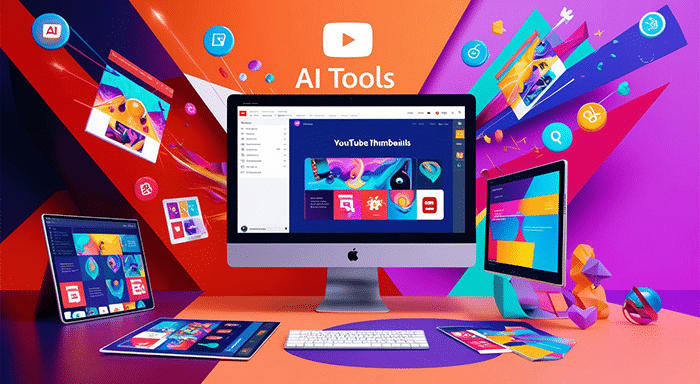
A great thumbnail can even double your click-through rate. No joke. But creating those kinds of graphics used to require Photoshop skills and hours of trial and error.
Now, tools like Canva AI, Adobe Firefly and MidJourney create scroll-stopping visuals in seconds.
How Creators Are Using AI to Win With Visuals
Here’s a brief overview of what AI design tools can do for your content:
YouTube Thumbnails — Create bold, high-impact images with custom text in less than 2 minutes.
Social Media Graphics — Resize and reformat automatically for each platform.
Blog Header Images — Generate unique, copyright-free images that match your content perfectly.
Brand Kits — Keep your colors, fonts and styles consistent across all your content without hiring a designer.
This is one of those quick AI media content wins that pays off immediately. It makes you look more professional for less effort.
Win #4 — AI Voiceovers That Don’t Sound Like Robots
Recording your own voice takes time, equipment, and the right energy. A podcasting setup isn’t something everyone has. And it isn’t always a great recording day.
AI voiceover tools like ElevenLabs, Murf and Descript have completely changed that.
You paste in your script. You pick a voice. You click generate. In 60 seconds you have a natural-sounding voiceover ready to drop into your video or podcast.
Who Gets the Most Out of This
- Solo creators who don’t want to record constantly
- Businesses that need audio content in multiple languages
- Educators producing course content at scale
- Marketers running several ad campaigns at once
ElevenLabs, for example, allows you to clone your own voice. So your audio content still sounds like YOU — even when you’re not technically recording.
Win #5 — Recycling Podcast Episodes With AI Transcription
Podcasters are sitting on a goldmine and the majority of them have no idea.
Every episode you record is packed with quotable lines, blog content, social media nuggets and more. The problem? It’s locked inside a sound file.
AI transcription tools like Otter.ai, Descript, and Riverside.fm can transcribe a full hour-long episode in just a matter of minutes. Then you can pull out the best parts and repurpose them fast.
A Simple Repurposing Workflow
Here’s how to convert a single podcast episode into a week of content:
Step 1 — Record your episode as you normally would. Step 2 — Feed it into an AI transcription tool. Step 3 — Paste the transcript into ChatGPT and ask it to find the top 5 quotes. Step 4 — Ask it to write a blog post summary. Step 5 — Have it write 3 social media captions. Step 6 — Use a clipping tool like Opus Clip to identify the best short video moments.
That’s a full week of content from a single recording session. This is a quick AI media content win that podcasters are sleeping on.
Win #6 — AI-Powered Caption Writing for Short-Form Video
Short-form video is exploding. TikTok, Instagram Reels, YouTube Shorts — they all require captions, hooks and hashtags. Writing those over and over is exhausting.
Punchy captions that match the energy of your video can be created in seconds with AI tools.
What Good AI Captions Include
The anatomy of a perfect short video caption:
- A strong opening line that stops the scroll
- 2–3 lines of context or storytelling
- A clear call to action
- Relevant hashtags (AI can help with these too)
Tools like Lately, Flick and even ChatGPT with a good prompt can nail this every time. You can even tell the AI which emotion you’re going for — curiosity, excitement, FOMO — and it tweaks the copy accordingly.
This is one of the quickest AI media content wins because it solves the “staring at a blank caption box” problem for life.
Win #7 — AI-Generated Email Newsletters in Half the Time
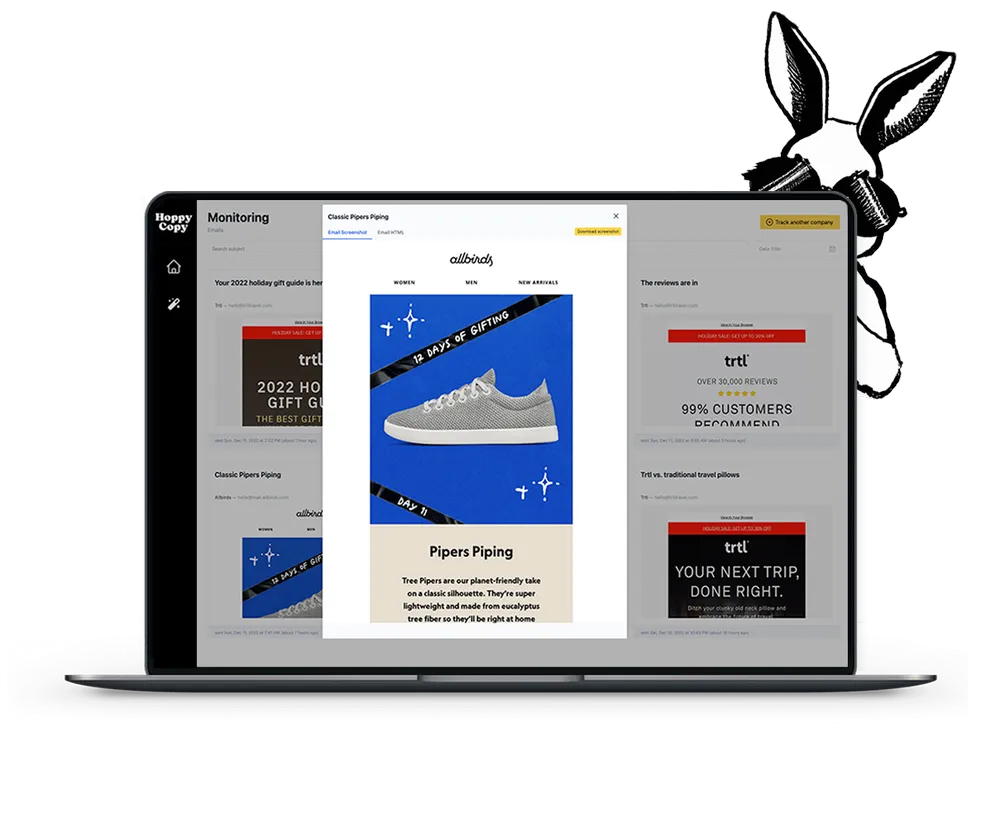
Email is still one of the highest-converting marketing channels you have. But putting together a good newsletter every single week is a serious time commitment.
AI tools are cutting that time in half for smart creators.
Here’s how it works. You provide the AI with a topic, your audience, and what you want the email to accomplish. It writes an entire newsletter — subject line, intro, body text and CTA — in less than 2 minutes.
Manual vs. AI Newsletter Creation Compared
| Task | Manual Time | AI-Assisted Time |
|---|---|---|
| Subject line brainstorm | 20 min | 1 min |
| Writing the intro | 30 min | 2 min |
| Body content | 60 min | 5 min |
| Editing and polish | 30 min | 15 min |
| Total | ~2.5 hours | ~23 minutes |
The numbers speak for themselves. And the quality? With good editing, your readers won’t know the difference.
Tools like Mailchimp AI, Beehiiv and ConvertKit’s AI features make this even more seamless since they’re already built into the tools you’re likely already using.
Win #8 — AI SEO Content Outlines That Rank Faster
Ranking on Google is one of the most difficult challenges in content marketing. But AI is making it a lot more manageable.
Tools like Surfer SEO, Clearscope and Frase analyze top-ranking content and tell you precisely what to include in your article, which keywords to target and how long the content should be.
How AI SEO Tools Work Step-by-Step
You enter your target keyword. The tool crawls the top 20 results on Google. It analyzes what those articles have in common — headings, word count, related topics and more. Then it gives you a content brief or outline you can follow.
That alone is a huge fast AI media content win. You stop guessing and start executing based on real data.
Here’s what a typical AI SEO outline includes:
- Recommended word count
- Primary and secondary keywords
- Suggested H2 and H3 headings
- Related questions people are searching
- Internal linking suggestions
- Readability score targets
Structuring your content this way puts you way ahead before you’ve even written a word. For more media and content strategy insights, Media Progresif is a great resource to explore alongside your AI toolkit.
Win #9 — AI Video Editing That Cuts Production Time by 80%
Video editing used to be one of the most time-intensive parts of content creation. Hours of cutting and trimming, adding captions, picking music, color grading. It was a whole job by itself.
That has now changed completely with AI video editing tools.
Platforms like Descript, CapCut AI and Opus Clip can now:
- Automatically remove filler words like “um” and “uh”
- Add captions automatically
- Find the best clips from long recordings
- Suggest background music
- Auto-resize video for different platforms
Real Time Savings With AI Video Editing
Suppose you shoot a 30-minute raw video. Editing that manually could take 4–6 hours. With AI tools, the rough edit could be done in 30–45 minutes. That’s an 80% time reduction.
For creators who post regularly, that time adds up to dozens of saved hours every month.
This is arguably the most powerful of all 9 fast AI media content wins — because no type of content takes more time to produce than video. When AI reduces production time, your output capacity skyrockets. According to HubSpot’s State of Marketing Report, video remains the top content format for ROI — making this win even more valuable.
How to Stack All These Wins for Maximum Output
These 9 wins don’t have to stand alone. The real magic comes when you combine them.
Here’s what a stacked content workflow might look like:
Monday: Film one video (30 minutes of raw footage) AI Step 1: Descript auto-edits and transcribes it AI Step 2: ChatGPT turns the transcript into a blog post AI Step 3: Canva AI makes the thumbnail and social graphics AI Step 4: ElevenLabs creates a voiceover version for a podcast episode AI Step 5: Flick writes captions for TikTok, Instagram and LinkedIn AI Step 6: Mailchimp AI turns the blog into an email newsletter
By Friday, you’ve published across 6+ platforms from one Monday recording session.
That is the power of fast AI media content wins working together.
Common Mistakes People Make With AI Content Tools
Even with great tools, some creators miss the mark. Here are the most common pitfalls to avoid:
Not editing AI content before posting. AI can get facts wrong, sound robotic or miss your brand voice entirely. Always review and revise.
Over-relying on one tool. Different tools have different strengths. Mix and match for the best results.
Ignoring the human element. Your stories, thoughts and experiences are what people relate to. AI can structure content. It can’t replace your humanity.
Not defining your audience first. AI output is only as good as the input. If you’re vague about who you’re writing for, the results will be generic.
Skipping the SEO layer. Generating content quickly is great. But if it’s not optimized, it won’t get found. Use creative AI tools and SEO tools together for the best results.
FAQs — Fast AI Media Content Wins
Q: How costly are AI content tools? Many have free tiers that are surprisingly powerful. Tools like ChatGPT (free version), Canva AI (free plan) and Otter.ai (free transcription minutes) allow you to start at zero cost. Paid plans usually fall between $10 to $50 per month per tool.
Q: Will Google penalize AI-generated content? Google has said it values the quality and helpfulness of content — not whether AI was used to create it. Content that is genuinely useful, original and well-edited performs well regardless of how it was made.
Q: What’s the learning curve like for these AI tools? The majority are designed to be beginner-friendly. Plan on 1–2 hours to get comfortable with any given tool. Many have YouTube tutorials and built-in guides.
Q: Can small businesses actually compete with big brands using AI? Absolutely. AI levels the playing field. A single-person brand can now produce the volume and quality of a full marketing team. This is one of the most exciting fast AI media content wins of all.
Q: Is AI content always accurate? No. AI tools can generate incorrect facts, outdated information or confusing statements. Always fact-check AI-generated content before publishing, especially for health, finance and legal topics.
Q: What’s the best AI tool for beginners? ChatGPT is the easiest starting point. It’s versatile, intuitive and powerful. Once you’re comfortable there, expand into specialized tools for video, design and SEO.
Wrapping It All Up
AI isn’t replacing content creators. It’s giving them superpowers.
The 9 fast AI media content wins covered in this article are real, practical and proven. From repurposing one blog post into 10 pieces of content to editing video 80% faster — these tools are revolutionizing how content gets made.
The creators winning right now aren’t necessarily the most talented. They’re the most efficient. And AI is the engine driving that efficiency.
You don’t need a huge budget. You don’t need a big team. You just need to start.
Pick one of these wins today. Try it. See the results. Then stack the next one on top.
You’ll never look at your content output the same way again.